We are very excited to announce WrapX 1.3 and the great new video-tutorial created by our friends 3D-Humanity.com

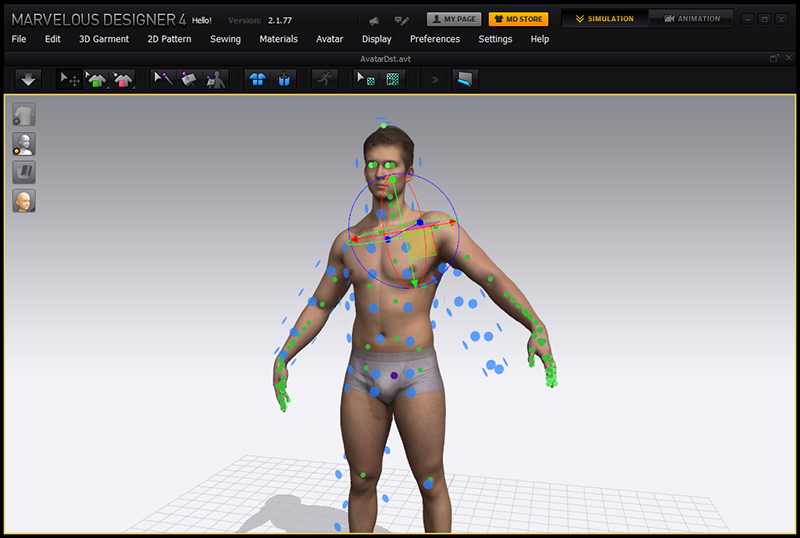
This release includes a set of features for Marvelous Designer integration. When we first saw Marvelous Designer we were very excited with an idea of creating customized garments using full-body 3D-scanning.
While 3D-scanning capacities have grown drastically in last few years we still have problems using 3D-scanning data for such tasks like cloth simulation. 3D-scans have millions of polygons, noise, holes and artifacts so that they require hours of post processing and clean-up work.
New WrapX tools allow to extract standard Marvelous Designer avatar, wrap it around a 3D-scan and import it back recalculating underlying skeleton and skinning so that the custom avatar represents body shape of real person and preserves all the features of standard avatar like cloth arrangement, pose changing and animation.

Tutorial
Our friends 3D-Humanity.com helped us to create a video-tutorial describing the new features.
http://russian3dscanner.com/images/MarvelousDesigner/VimeoPreviewIntro_270.jpg
http://russian3dscanner.com/images/MarvelousDesigner/VimeoPreviewTutorial_270.jpg
New Features
• New tools for extracting and embedding Marvelous Avatar
• Some graphics cards compatibility issues fixed
• Many bugs fixed
• New blend-shapes preview dialog

We would like to say many thanks to all of you for your great feedback and participation!


 We end up using a small utility that records and repeats mouse movements and clicks. In a loop it switches to next frame and exports avatar as OBJ file. It took us several hours to export the sequence and if someone accidentally touches the mouse you’ve got to repeat entire process again. Then we converted the obj-sequence into point-cache and render it.