I am trying to wrap a mesh and I get an error on my floating geometry (floating geometry contains 22 disconnected polygon components, should be one). I already had to fix the same geometry to be manifold as it was giving a non-manifold error. However, the original mesh imported into Wrap4d was already manifold. It was also all one mesh. I use Blender, so I used ctrl+J to join all pieces of the original mesh, but they were already in one piece. I don’t know why I am getting this error in Wrap4D if my mesh is clean. For the purposes of my project, the vertex order must be preserved. How can I fix this?
Hi and thanks for reaching out!
It looks like the issue is that your mesh has 22 disconnected polygon components. Joining objects with Ctrl+J in Blender combines them into one object, but it doesn’t weld their geometry together, so they still behave as separate pieces.
Here’s a workflow in Wrap4D that should work for you:
- LoadGeom – load your original mesh.
- SelectPolygons – select the main connected component you want to wrap.
- Subset – extract the selected geometry.
- Wrapping – wrap only that component.
- ApplySubset – apply the deformation back to the original mesh.
This way you keep the original topology and vertex order without modifying the mesh in Blender. One thing to keep in mind: the other disconnected components won’t follow the deformation automatically. If you need them to move as well, you’ll have to transfer the deformation to them separately.
Let me know if you run into any trouble or if any step is unclear
Hi, I tried doing this but it’s still giving me the disconnected polygon error. The only thing I did different from your instructions was add a repair node because I was getting a nonmanifold error. After that, the error message says the floating geometry has 7 disconnected vertices.
This is what the subset selection looks like for the floating geometry. I have selected (or rather, not selected) all the disconnected polygons that I can see on the floating geometry (eyes, mouth, tongue, lashes). I don’t know what else could be disconnected.
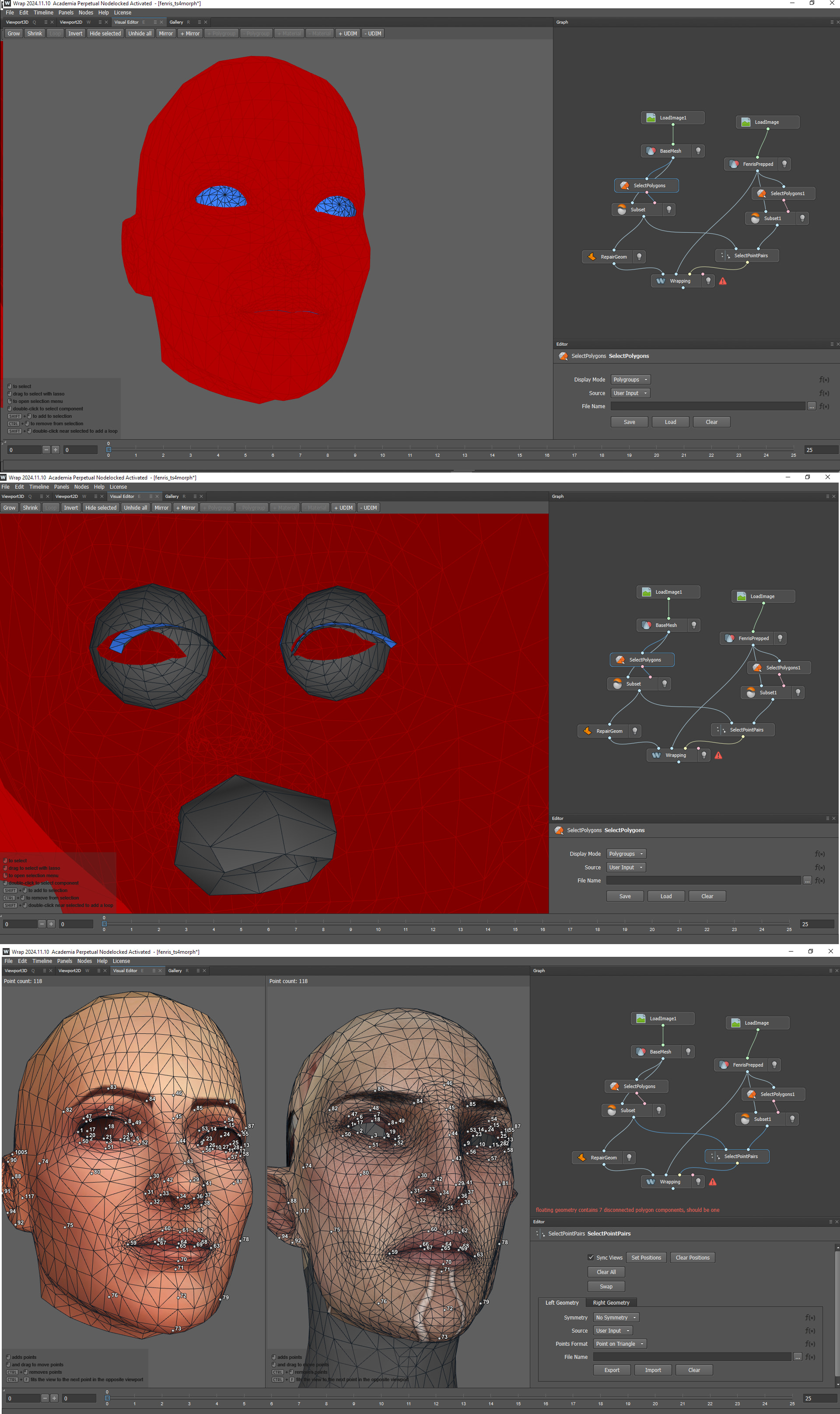
It looks like your floating geometry still contains 7 disconnected polygon components after the Subset/RepairGeom operations.
Instead of manually deselecting the eyes, mouth, tongue, and eyelashes, try clearing your selection in SelectPolygons and double-clicking directly on the head mesh. This should select only the connected polygons belonging to that component, automatically excluding any disconnected geometry, including hidden pieces.
Then check the output of Subset and RepairGeom separately to see whether the geometry is still connected before passing it into Wrapping.
Also, RepairGeom fixes non-manifold geometry and isolated vertices, but it doesn’t automatically combine disconnected polygon components.
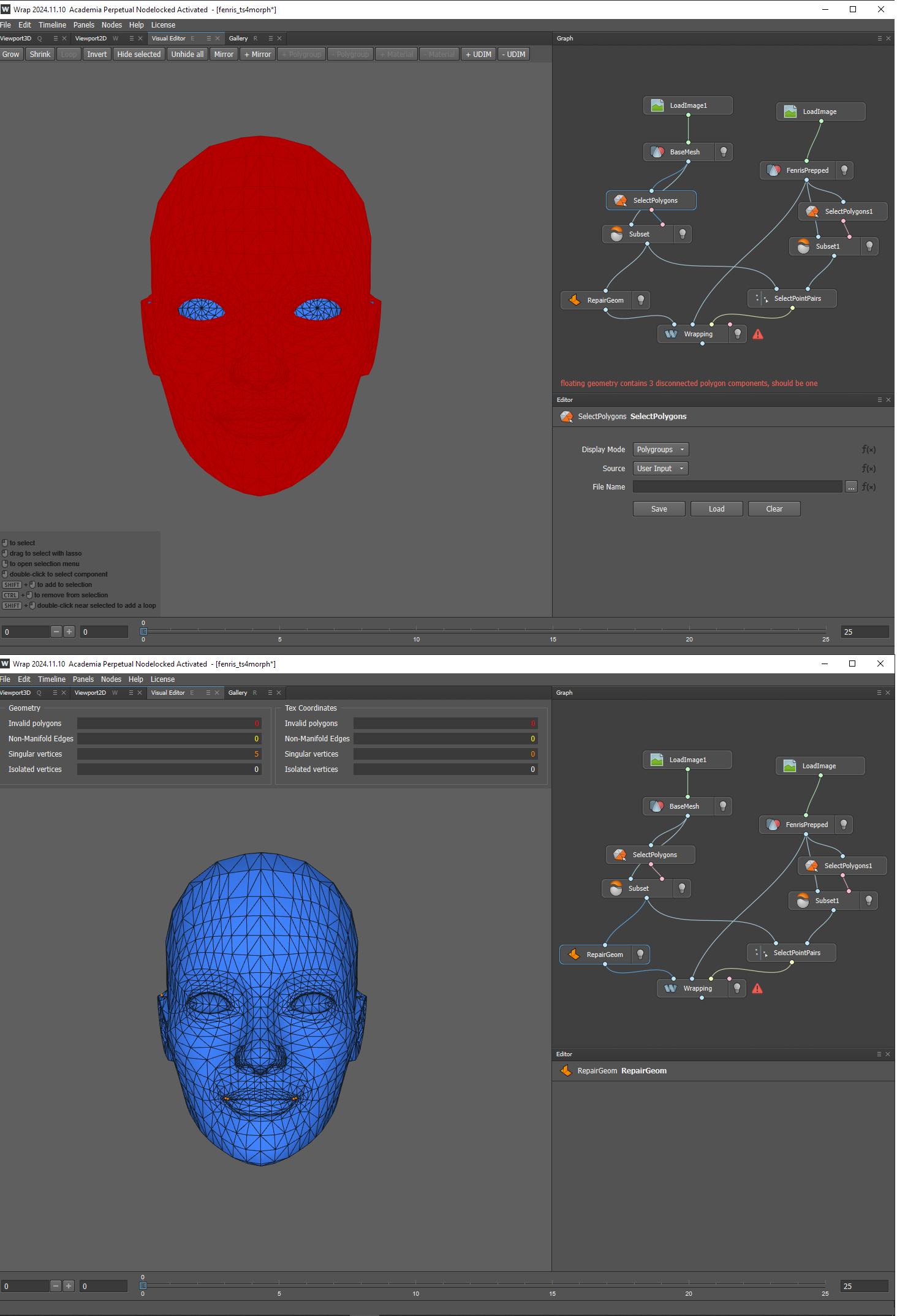
I’m still having this problem after double clicking the face mesh. It looks like there are some separate faces on the ears. I haven’t touched them since I imported them and since I can’t change the vertex order, I don’t know how to morph them. Even so, I am still getting a disconnected polygon error. I don’t know how to check the output of subset, but when I try to remove RepairGeom it still gives me a nonmanifold error, but when I add it back it gives me the disconnected polygon error. It seems as though RepairGeom is causing the mesh to be disconnected?
@shapiropoly Hi just checking in, are you still able to help with this?
@shapiropoly Hello? I still need help. 
@stellium Hello! Please excuse the delay in my response.
The reason this happens is that the RepairGeom node fixes non-manifold meshes by splitting singular vertices into separate vertices. As a result, a mesh that was originally a single connected component may end up consisting of multiple connected components after RepairGeom.
I would recommend removing the RepairGeom node from your graph and replacing Wrapping with FastWrapping.
FastWrapping is a newer and faster alternative to Wrapping. It doesn’t require the mesh to be manifold, so you should be able to use your existing Floating Geometry as is, without any additional modifications.
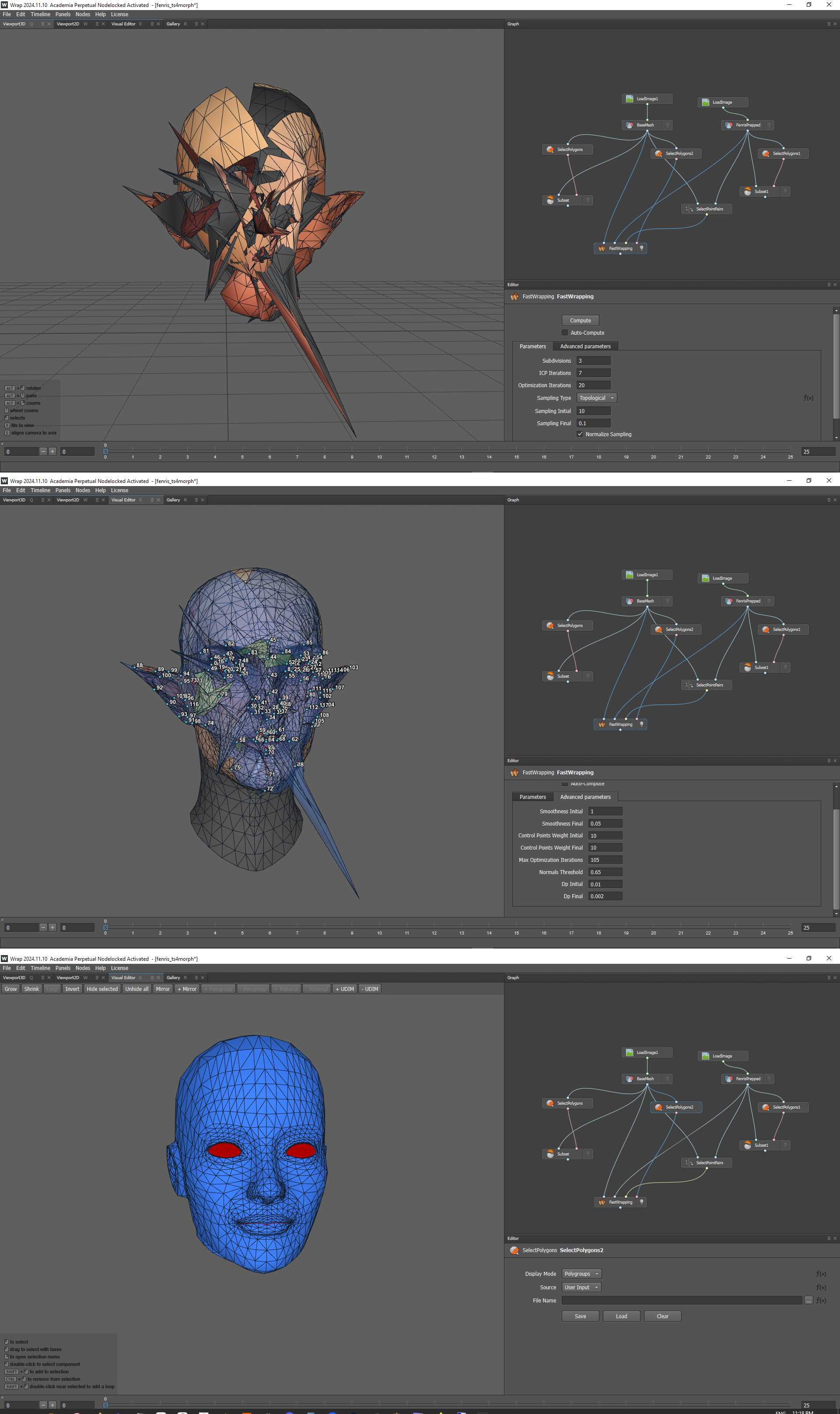
@shapiropoly Hi, I tried this but the mesh exploded. I only have access to the 2024 version of Wrap4D so there are some features of the FastWrapping documentation that I don’t have. I tried putting both the original mesh file nodes as the input as well as the polygon selections that exclude the eyes/mouth, but there is no improvement either way.
Other than the eyes/mouth, BaseMesh also has a separate scalp and 2 separate faces on each of the ears. I don’t know the reason behind this, I am just preserving the vertex count/order for game modding purposes. The game will only accept superficial edits to the head mesh to create a viable morph file.
The last image is the polygon selection that I used as the Free Polygons Floating input. I don’t know if there are any recommended settings or adjustments I can make in the parameters tabs. I just used the default settings. Do you have any recommendations? I tried a few different settings but none seemed to make any improvement and I was unable to revert to the default parameters, so I would rather get advice from someone who knows what they’re doing. 
If the FastWrapping method is not advisable for the type of geometry I am using, is there a way to transfer a deformation from a connected, manifold version of BaseMesh and apply it to the original mesh? As long as there are no changes to the vertex order/number I believe it will be compatible with the game’s morph file system.
Other than changes to the vertices, my only concern is having the eyes and mouth/teeth fit the new shape from the fixed geometry. Usually it’s a bad idea to move the eyes/mouth for rigging purposes. There is significant differences in the eye scale and placement between the floating and fixed geometry and I don’t know what would be the best practice to avoid any issues.
@shapiropoly Any updates on this?
@stellium Hello!
I apologize for the delay in getting back to you, and thank you for the detailed description and screenshots.
To understand exactly what is causing the problem, we need to take a look at your geometry. Could you please send us your Wrap4D project along with the related files, including:
- the BaseMesh (with its separate parts: scalp, ears, eyes and mouth);
- the FixedGeometry or scan (the target shape you want the BaseMesh to match);
- the polygon selection you use as Free Polygons.
If you are unable to share the whole project, a simplified version that reproduces the issue will work as well.
You can send the files to us by email at contact@faceform.com
We will do our best to find a solution that works with your version of Wrap4D, 2024