Blend-shape tests

Hey guys,

yesterday I made a couple of tests with blend-shapes. Let me share some results. Someone might find it interesting.

I started with a set of free 3D-scans made with Agisoft and kindly provided by my friends from DigitalForms. You can get the first scan here digitalforms.ru.
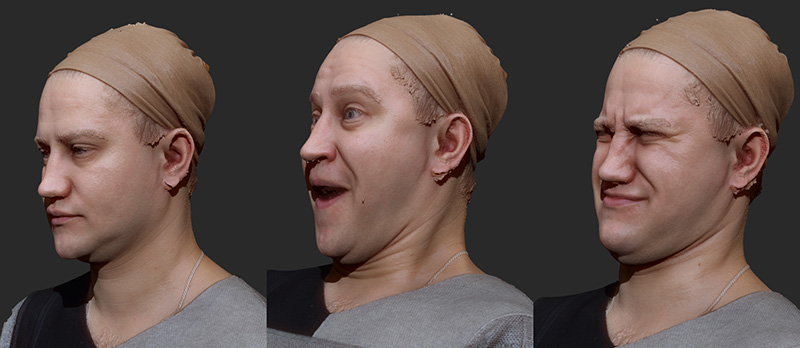
I decimated them using ZBrush’s Decimation Master down to 300K polygons and also reduced texture resolution down to 4000x4000 so that Wrap could load them.

First I matched a neutral scan with MakeHuman’s head basemesh. It usually requires few or non control points.

The presets were:
Initial density 0.5
Density multiplier 2.5
Final rigidness 0.1
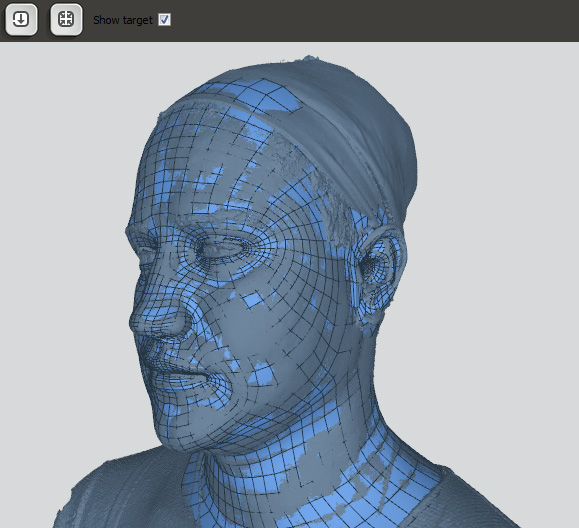
After that I transfered a texture from scan to basemesh using xNormal.

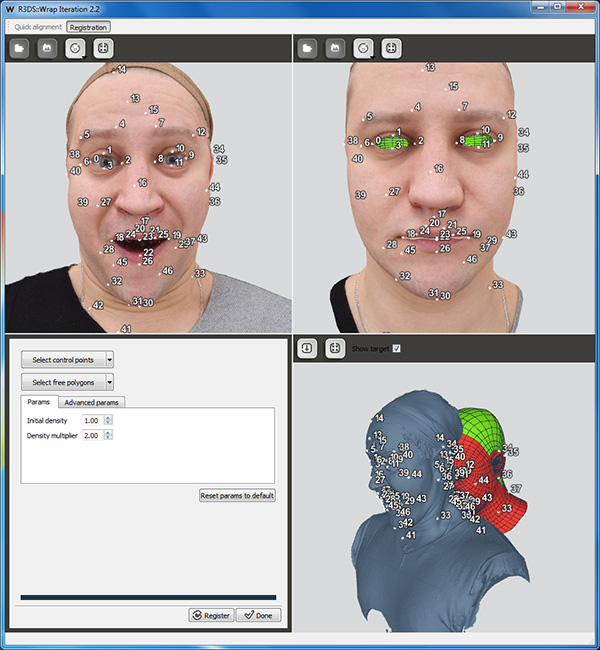
Then I loaded other scans into Wrap. This time I use my wrapped basemesh as Template and the projected texture as a reference for control points.
After that I use ZBrush to subdivide basemeshes and re-project details from original scans.

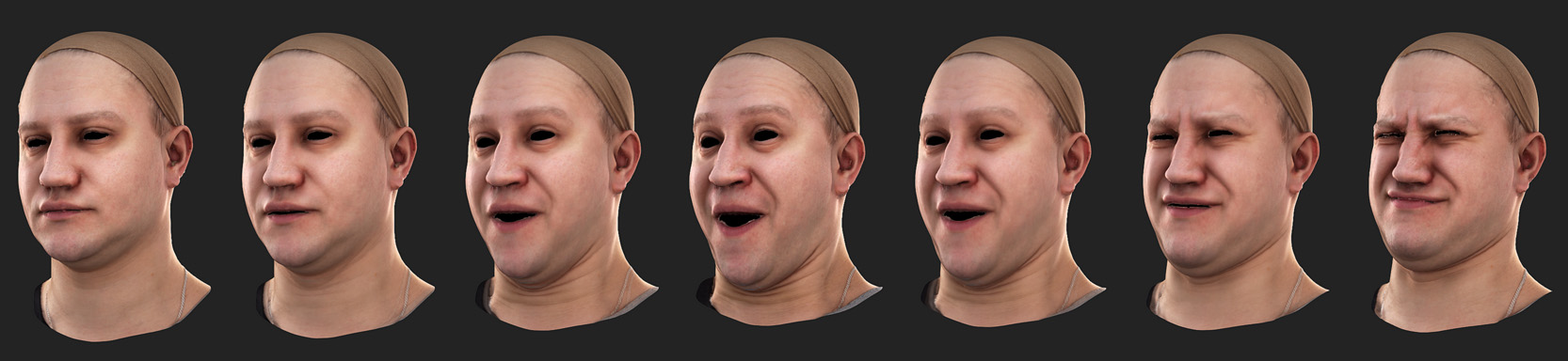
As all the models shares the same point order and UV coordinates I can now blend between them. On the image below you can see original textures from Agisoft and baked textures on basemesh.
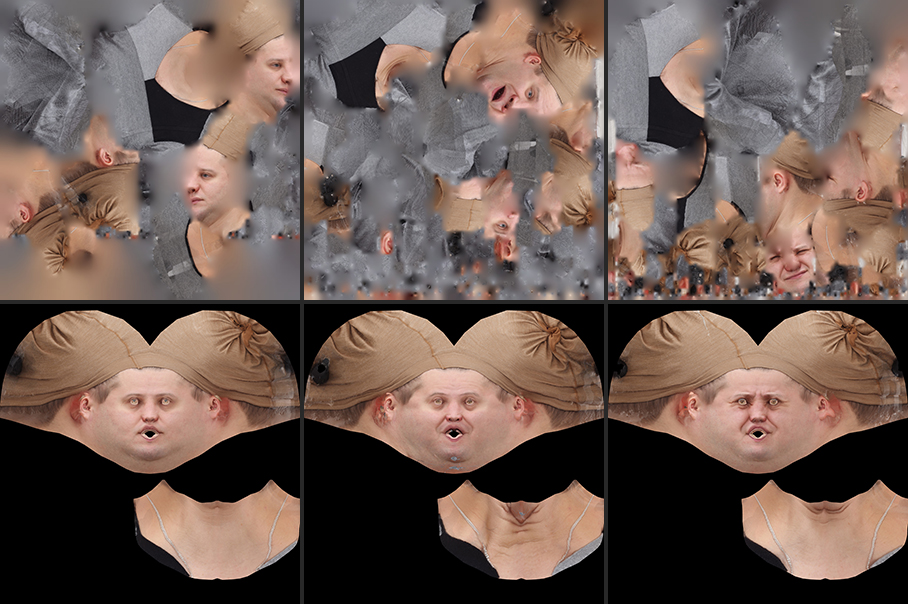
On the final image you can see some morphing stages rendered in 3ds Max.
I would be glad to answer your questions!

Looks great! Thank for the step-by-step guide, I have a BUNCH of unprocessed facial expressions in my queue and I am looking forward to giving it a whirl with Wrap. ;D

Very nice! Did you bake the texture in 3D’s Max?

Hello and welcome to the forum!

No, at the time of writing the tutorial i used xNormal, but now there are baking functions in both Wrap and WrapX. If you use Photoscan i would recomend to import wrapped model back into Photoscan and reproject texture from original photos. That might give you better quality than projecting from scan.

Hi, this post is very impressive.
Could you give me a bit more information about this?
This is very old post so situation may be different now though.

Currently I’m trying to make similar thing with Wrap3.
I could make two obj with same topology but different shape.
After that I’m not sure how to make blendshape between these two models.

As all the models shares the same point order and UV coordinates I can now blend between them.

Could describe bit more details about this?
Did you do this in Zbrush or other software?

Thanks.

I think for this post I used Layers in ZBrush. We are going to add Blendshapes node in Wrap3 soon, but for now you can use 3DsMax, Maya, ZBrush etc. to do this blending.

If you are using WrapX there is a function there called wrap.blendShapeDialog. You can check it if you run WrapX and go to Interactive BlendShapes example from Examples tab.

Thanks, Andrew.
I’m happy to hear that. Then I will wait Wrap3 update!
It is still not clear for me to use different obj in Zbrush for blending though.